How to set up Calendars in iCal
- Run the Apple iCal/Calendar application

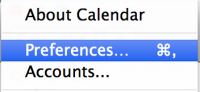
- In the menu, select iCal/Calendar → Preferences
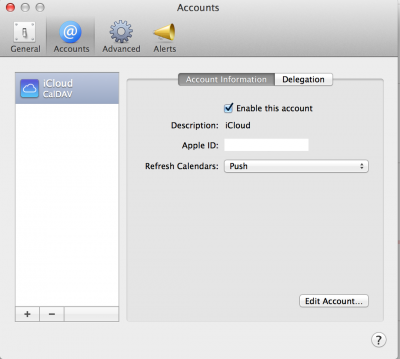
- go to tab Accounts
- Click on the + button to create a new account
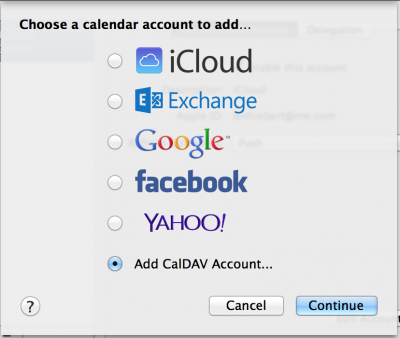
- Choose Add CalDav Account...
- Choose Account Type: Manual
- Type your User Name, Password and Server Address [domain.tld]
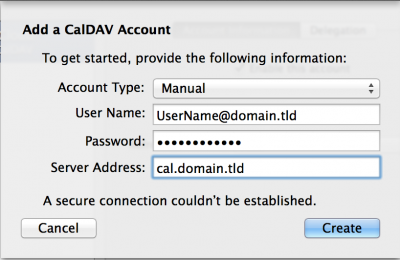
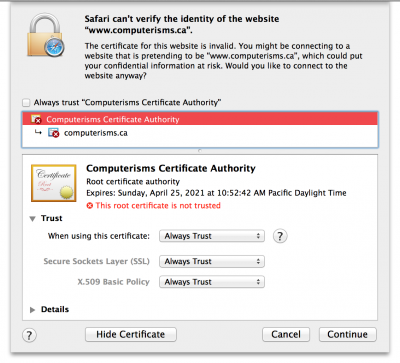
- Next step you need Verify Certificate in Safari browser
- Open Safari and type your domain.tld
- Choose Show Certificate
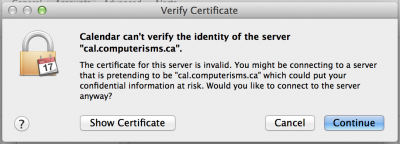
- Choose domain.tld Certificate Authority
- Choose Trust
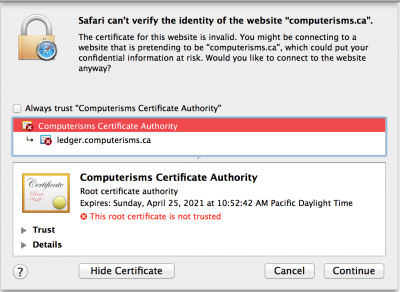
- Choose Always trust